Game artist
You have an FBX character or prop that needs a static mesh handoff for a modeling review.
A simpler OBJ deliverable can make geometry inspection easier while keeping the original FBX as the animation source.
gltf to objFormat conversion
FBX is widely used for animated scenes and production assets, while OBJ is a straightforward interchange format for geometry. This page explains the conversion path and what to check afterward.

The formats serve different purposes. Comparing their structure before conversion helps you set realistic expectations for animation, materials, and downstream compatibility.
FBX
OBJ
FBX
Scene, animation, and asset exchange format
OBJ
Static mesh interchange format
FBX
Stores polygon meshes and scene objects
OBJ
Stores polygon vertices, texture coordinates, and faces
FBX
Can carry animation and rig data
OBJ
Does not store skeletal animation
FBX
May include material assignments and embedded scene data
OBJ
Uses an accompanying MTL file for material definitions
FBX
May reference or embed texture assets depending on export settings
OBJ
References image textures through material and map paths
FBX
Can preserve object relationships and transforms
OBJ
Usually exports a flatter mesh representation
FBX
DCC, game, and animation pipelines
OBJ
Modeling, visualization, CAD, and simple asset exchange
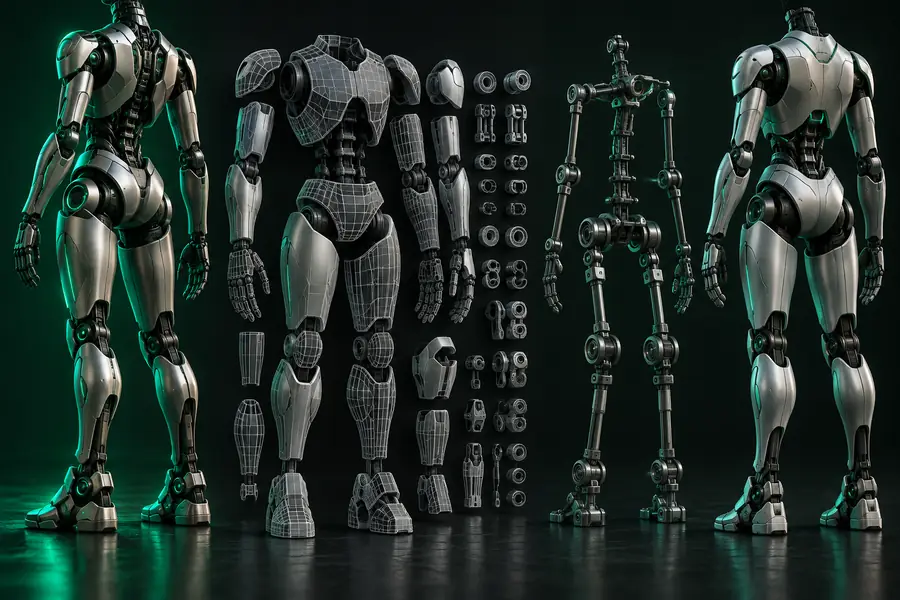
A visual check is useful because a successful export should retain the intended shape, scale, and visible surface detail even when animation and scene metadata are not carried over.
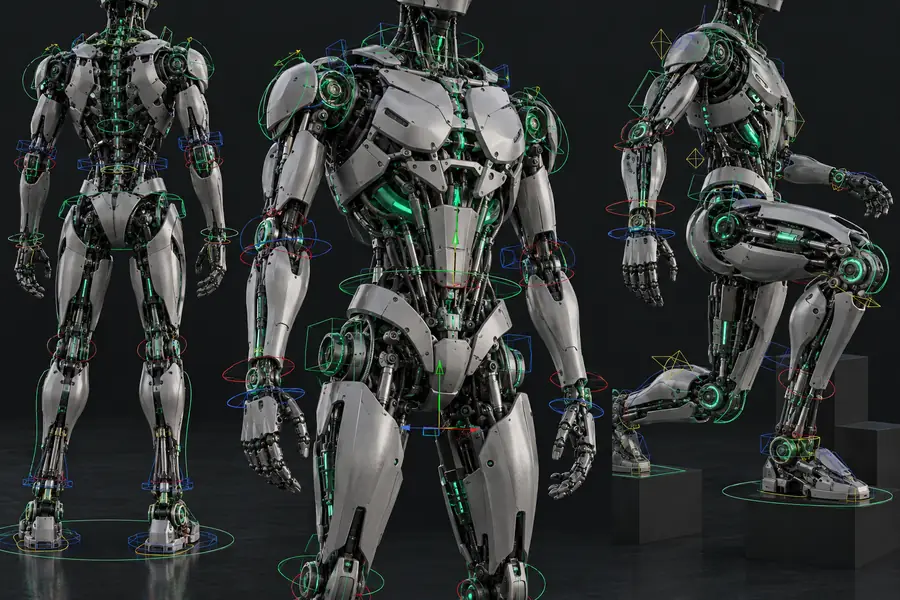
 FBX source
OBJ result
FBX source
OBJ result
Drag the divider to compare the mesh views.
Choose the workflow that matches the asset’s destination. These related format paths help when the source or required output changes during production.
You have an FBX character or prop that needs a static mesh handoff for a modeling review.
A simpler OBJ deliverable can make geometry inspection easier while keeping the original FBX as the animation source.
gltf to objA scene asset needs to move from an animation-oriented pipeline into a mesh-focused preparation step.
The OBJ route provides a familiar interchange target for checking surfaces before further repair or slicing.
glb to stlA legacy FBX asset must be compared with a newer binary scene format before deciding on an export route.
Reviewing glb to fbx helps you understand which direction better fits the current asset pipeline.
glb to fbxYou need a static model for a renderer or application that accepts OBJ but does not need the source rig.
A focused geometry export reduces the handoff to the mesh and its material references.
gltf to objKeep these neighboring routes in mind when the source asset is not FBX or when the final destination calls for another mesh format.
Use the slider as a planning aid for how source size can affect the amount of geometry and texture data you review before export.
MB
MB
A dependable conversion workflow separates source preparation, export, and validation so format differences are caught before the OBJ reaches another application.
Open the source in the intended pipeline and check object visibility, transforms, scale, normals, and texture references before exporting.
Choose OBJ as the destination and keep the mesh scope deliberate; omit animation-only data when the handoff only needs static geometry.
Reopen the OBJ in a suitable viewer or modeling tool and inspect orientation, scale, smoothing, material references, and missing maps.
Start with the model you have, describe the conversion you need, and review the resulting geometry before using it in a production or delivery pipeline.
Convert my FBXAnswers to common questions about moving an FBX asset into the OBJ format.
FBX is a scene-oriented format that can carry geometry, hierarchy, materials, cameras, and animation data. OBJ is primarily a static mesh format, usually paired with an MTL file and separate texture images.
Yes, an FBX model can be exported or converted to OBJ when the destination application supports the required formats. The resulting file should be checked for mesh completeness, scale, normals, and material references.
No, OBJ is not designed to store skeletal animation or an FBX scene hierarchy. Keep the original FBX when rigging, keyframes, cameras, or scene relationships are still needed.
Texture preservation depends on the export settings and how the source references its images. OBJ commonly relies on an accompanying MTL file and correctly maintained image paths, so inspect the complete output set rather than only the OBJ file.